Winbox Download
Install our official app to enjoy quick access, real-time updates, and the best in online gaming across all your devices.
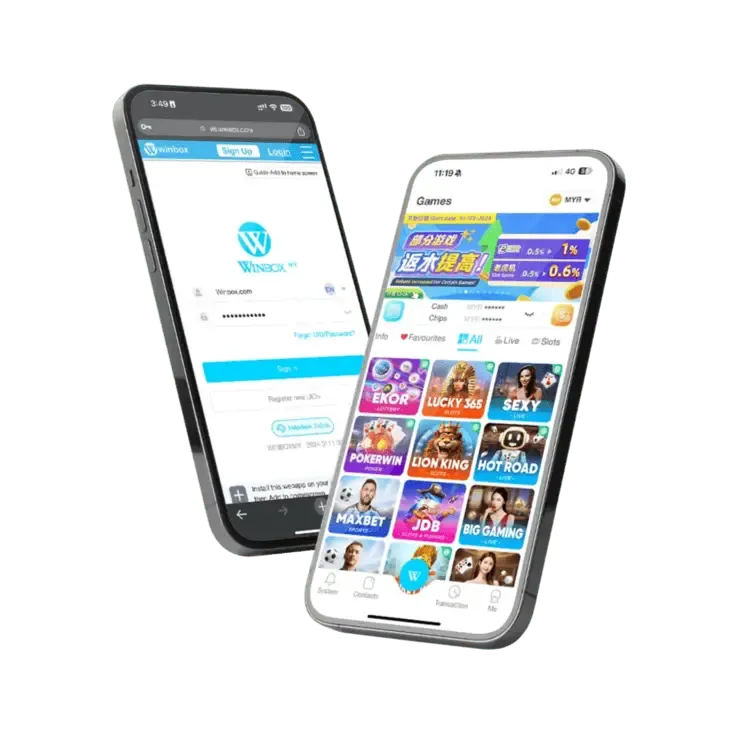
Supported Platforms
Winbox currently supports Android (APK), iOS (via TestFlight or direct link), and Windows 10 or later. We continuously update our app to ensure compatibility and security.
Installation Steps
1. Choose your platform below and click the download link.
2. Follow the on-screen prompts (e.g., enable “Install from unknown sources” on Android).
3. Once installed, open the app and log in with your Winbox account or create one if needed.
Benefits of Using the App
- One-tap access to your favourite games and live dealer tables.
- Push notifications for bonuses, promotions, and new features.
- Optimized for mobile data usage and smoother performance.
1. How do I download the Winbox APK for Android?
Visit our official website. Tap “Download for Android” to get the APK file, then tap it to install. If prompted, allow “Unknown Sources” in your security settings.
2. Can I install Winbox on iOS via the App Store?
Some iOS users can install directly via the App Store. Otherwise, we provide a TestFlight link or .ipa file. Just follow the prompts to trust the developer profile if necessary.
3. Is there a desktop version for Windows?
Yes. Download the Winbox desktop installer from our website, then follow the setup wizard. Windows 10 (64-bit) or later is recommended.
4. Do I need to uninstall older versions before installing an update?
Generally no, the latest version will overwrite the old one. If you face any issues, we suggest uninstalling the previous version and reinstalling fresh.
5. Why is my download being blocked?
Certain devices and browsers require confirmation to install from outside official app stores. Check your security or privacy settings to allow the download.
6. What if my phone says “App not installed” or the file is corrupted?
The APK might have been disrupted during download or your storage may be full. Re-download from the official link, ensure you have enough space, and try again.
7. Can I still use Winbox without the app?
Absolutely! Our web-based platform is fully featured on mobile and desktop browsers. However, the app offers convenience, notifications, and often faster load times.
8. How do I update the Winbox app to the latest version?
We periodically release new versions to improve performance and add features. Check our Download page for updates or watch for in-app notifications prompting you to install the newest release.
9. Will installing the app affect my account or balance?
No. Your account data, balance, and game progress are all tied to your login. Installing or updating the app will not reset or affect your funds.
10. How can I get help if I run into installation problems?
Our 24/7 customer support team is here to assist you. Reach out via live chat, email, or WhatsApp — we’ll guide you step by step.